Android & iPhone guide
Salon KPIs: 8 Numbers to Track Every Month (With Formulas)
Sales alone don't tell you why a month was good or bad. These eight salon KPIs do, and each one takes a simple formula you can work out in minutes.
 Salon Pro Business
5 min read

Salon KPIs are the handful of numbers that explain why your sales went up or down. Total sales tell you what happened; the other numbers tell you why, and what to change.
This guide covers the eight KPIs that matter most for a small salon, how to calculate each one, and a simple monthly routine for reviewing them with your team.
Why sales alone don't tell you enough
Two months with the same sales can mean very different things. In one, loyal clients came back and spent more. In the other, you replaced lost regulars with first-time discount clients who may never return.
Without a few key numbers, you only notice a problem when the bank balance drops, and by then it's months old. A falling rebooking rate or a rise in cancellations shows up much earlier.
The good news is that you don't need dozens of reports. Eight numbers, checked once a month, cover almost everything a small salon needs to know.
Common reasons salons don't track their KPIs
The data is in too many places
Appointments in one book, payments in a card terminal and client details in a phone make even simple numbers slow to work out.
Every source defines numbers differently
Retention, for example, can mean many things. Without one fixed definition, this month's number can't be compared with last month's.
Checking too often or never
Daily numbers swing too much to mean anything, and yearly reviews come too late. Monthly is the useful middle.
Tracking without acting
A number that nobody discusses with the team won't change. Each KPI needs one person and one action behind it.
The salon KPIs to track every month, with formulas
You can work these out in a spreadsheet from your appointment book and card terminal reports. Use the same definitions every month so the numbers stay comparable.
Total sales and the change from last month
Add up all services and retail sold in the month. Compare it with the previous month and the same month last year, since salons are seasonal.
Average ticket
Divide total sales by the number of receipts. Your average ticket rises when clients add a treatment, upgrade a service or buy a product, so it shows how well your team recommends.
New clients
Count clients whose first visit was this month. Note where they came from, such as Google, Instagram or a referral, so you know which channel to keep paying for.
New client retention
Take the new clients from three months ago and count how many came back within 90 days. Divide returners by that group and multiply by 100. Phorest's research puts new-client retention at about 30% for the average salon, so even a few points higher is a real gain.
Rebooking rate
Divide the number of clients who booked their next appointment before leaving by the number of clients served, times 100. It's the earliest sign of whether clients will return.
Salon productivity
For each stylist, divide booked hours by hours available on the schedule, times 100. Salon productivity below about two-thirds usually means you need more bookings, not more staff.
Cancellation rate and revenue per stylist
Divide cancelled and no-show appointments by all appointments booked. Then total the sales for each stylist; revenue per stylist shows who needs more bookings and who could raise prices.
The faster way
See your salon KPIs in Salon Pro Business
Salon Pro Business is a salon management app with reports built from the appointments and payments you already record. It calculates several of these numbers for you, so the monthly review takes minutes instead of an evening with a spreadsheet.
Open Business Analytics
In the app's settings, open your business settings and choose Business Analytics. The numbers come from the data on your device, so the report also opens without internet.
Pick the period
Switch between the last 30 days, the last 90 days and this year. Total sales show the change compared with the period before.
Read the headline numbers
See total sales, completed appointments, the cancellation percentage, the average receipt, and how many new and returning clients you served.
Check staff and services
Staff Performance lists each stylist's appointments and revenue, and Most Requested Services shows which services sell most, so you can review your service mix.
Find your busy and quiet hours
The heatmap shows appointments or sales by day and hour, and a chart shows income per day of the week, so you can see where promotions or schedule changes would help.
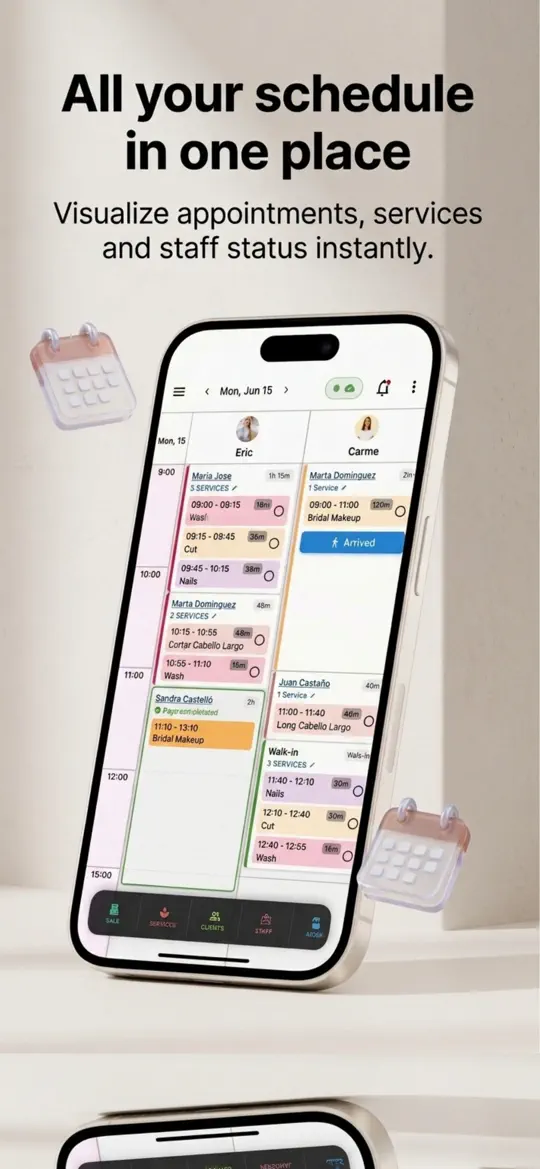


- Comparison with the previous period
See at a glance whether sales went up or down compared with the 30 or 90 days before.
- Revenue per stylist
Each team member's appointments and sales in one list, sorted by revenue.
- Day-and-hour heatmap
Shows when the salon is full and when it's empty, by appointments or by sales.
- Cash and card split
See how much of each period's sales came in cash and how much by card.
- Works offline
Reports are calculated on your device from your own data, with or without internet.


Tips for a monthly KPI review that changes something
- Review KPIs on the same day each month, such as the first Monday, and keep notes so you can compare.
- Pick one KPI to improve each month and give it one clear action, for example offering to book the next visit at every checkout.
- Share team numbers like the rebooking rate in your team meeting, but discuss individual results one-on-one.
- Compare each month with the same month last year as well as with last month, because salons are seasonal.
- Write your formulas down once and never change them, or the trend becomes meaningless.
Frequently asked questions
What is a good average ticket for a salon?
It depends on your services and prices, so your own trend matters more than any benchmark. Track it monthly and look for steady growth from add-ons, upgrades and retail.
How do you calculate salon client retention?
Pick a group of clients, such as everyone who visited for the first time in a given month, and count how many came back within a fixed window like 90 days. Divide returners by the group size and multiply by 100.
What is a good rebooking rate for a salon?
Many salon consultants aim for more than half of clients booking their next visit before leaving. Start by measuring your current rate, then raise it a few points at a time.
How do you measure stylist productivity?
Divide each stylist's booked hours by their available hours on the schedule. Look at it alongside revenue per stylist, since a busy stylist with low prices can earn less than a less busy one with higher prices.
How often should a salon owner check KPIs?
Monthly for a full review, with a quick weekly look at bookings and cancellations. Daily numbers change too much to act on.
Summary
Eight salon KPIs, reviewed once a month, explain most of what happens in a small salon: sales, average ticket, new clients, new-client retention, rebooking, productivity, cancellations and revenue per stylist. Salon Pro Business calculates many of them from the appointments and payments you already record, with comparisons, staff results and a busy-hours heatmap. Try it with your team and run your first monthly review in minutes.
More guides
 Android & iPhone
Best Salon Software for Small Salons: 6 Options Compared
Per-stylist prices, new-client commissions and card fees make salon software hard to compare. Here is what six popular options cost a small salon and who each one fits.
 Android & iPhone
How to Fill Last-Minute Salon Cancellations With a Waitlist
A client cancels at 9 a.m. and a two-hour slot sits empty. Here is how to keep a waitlist that fills it, with or without software.

 Android & iPhone
What to Do When the Gym Is Busy: Smart Exercise Swaps
Every squat rack is taken and the bench has a line. Here is how to keep your workout on plan by reordering and swapping exercises instead of waiting.