Android & iPhone guide
How to Reduce Salon No-Shows and Fill Last-Minute Gaps
An empty chair still costs you rent and wages. Here is how to reduce salon no-shows and refill the gaps that still happen.
 Salon Pro Business
5 min read
Every salon owner knows the feeling: the chair is ready, the colour is mixed, and the client never arrives. If you want to reduce salon no-shows, you need two things working together: fewer missed appointments, and a fast way to refill the ones that still happen.
This guide covers both. First the habits that stop clients forgetting or skipping, then a simple system for turning last-minute cancellations into booked time.
Why salon no-shows hurt more than they seem
A missed appointment is not just one lost service. Your rent, your stylist's time and the products you prepared are already paid for, and that hour can't be sold again once it has passed.
No-shows also cause knock-on problems. Stylists on commission lose income, clients who wanted that time were turned away, and the day's schedule falls apart when people start arriving early or late to fill the gap.
Most no-shows are not bad intentions. Clients book weeks ahead, life gets busy, and the appointment simply slips their mind. That is good news, because forgetting is the easiest cause to fix.
The most common reasons clients don't show up
They forgot
Bookings made four or six weeks ahead are easy to forget without a reminder close to the day.
Cancelling feels awkward
If the only way to cancel is a phone call, many clients avoid the conversation and just don't come.
No consequences
When there is no policy or no-show fee, skipping an appointment costs the client nothing.
Plans changed at the last minute
Illness, childcare and work happen. These are unavoidable, so the goal is to refill the slot quickly.
Unclear booking details
A wrong time, a different stylist or a mix-up about the service makes clients unsure and more likely to skip.
How to reduce salon no-shows: 6 habits that work
These steps work with any booking system, even a paper diary. Start with the first three; they solve most missed appointments.
Write a clear salon cancellation policy
Ask for 24 to 48 hours' notice to cancel or move an appointment. Show the policy when people book, on your website and at the front desk, so nobody is surprised.
Confirm every booking in writing
Send the date, time, service and stylist right after booking. A written confirmation removes mix-ups and gives the client something to check.
Send appointment reminders before the visit
Remind clients one or two days ahead, which leaves you time to refill the slot if they cancel. For long colour or treatment sessions, a short message on the morning of the appointment helps too.
Make rescheduling easy
Tell clients in every reminder how to move their appointment. A client who can reschedule in one message rarely becomes a no-show.
Use a no-show fee or booking deposit for long services
For expensive or long services, or for clients who have missed before, ask for a deposit or charge a no-show fee as your policy states. Apply it consistently and politely.
Keep a salon waitlist
Note every client who wanted a time you couldn't offer, with the service, their preferred stylist and when they are free. When someone cancels, you know exactly who to call first.
The faster way
Fill last-minute cancellations with Salon Pro Business
A waitlist only helps if you can match it quickly. Salon Pro Business, a salon management app with a waitlist for iPhone, iPad and Android, does the matching for you the moment an appointment is cancelled.
Add waiting clients to the waitlist
Save the client, the services they want, a preferred stylist if they have one, and whether their date is exact or flexible. You can also choose morning, afternoon, evening or any time.
Cancel an appointment as usual
When a client cancels, Salon Pro checks the waitlist straight away for someone whose day, time of day and stylist fit the free slot, and whose services fit in the time that opened up.
Book the match with one tap
The app shows you the best match. Confirm it and the appointment is created in the freed slot, so the chair is filled before the gap is lost.
Send reminders from the client's profile
Save a default message once in Settings under Client Messaging, with the client's name added automatically if you like. From a client's profile, one tap opens WhatsApp with the message ready to send.
- Automatic waitlist matching
Every cancellation is checked against your waitlist, so you know immediately who can take the slot.
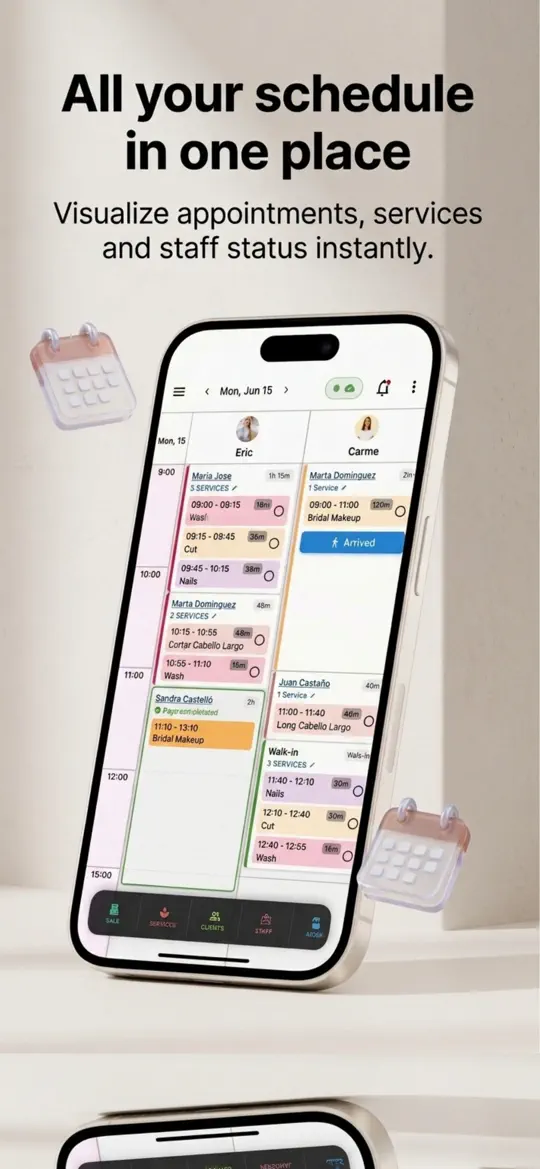
- Drag-and-drop calendar
When a client asks to move, drag the appointment to a new time instead of cancelling and rebooking.
- One-tap WhatsApp messages
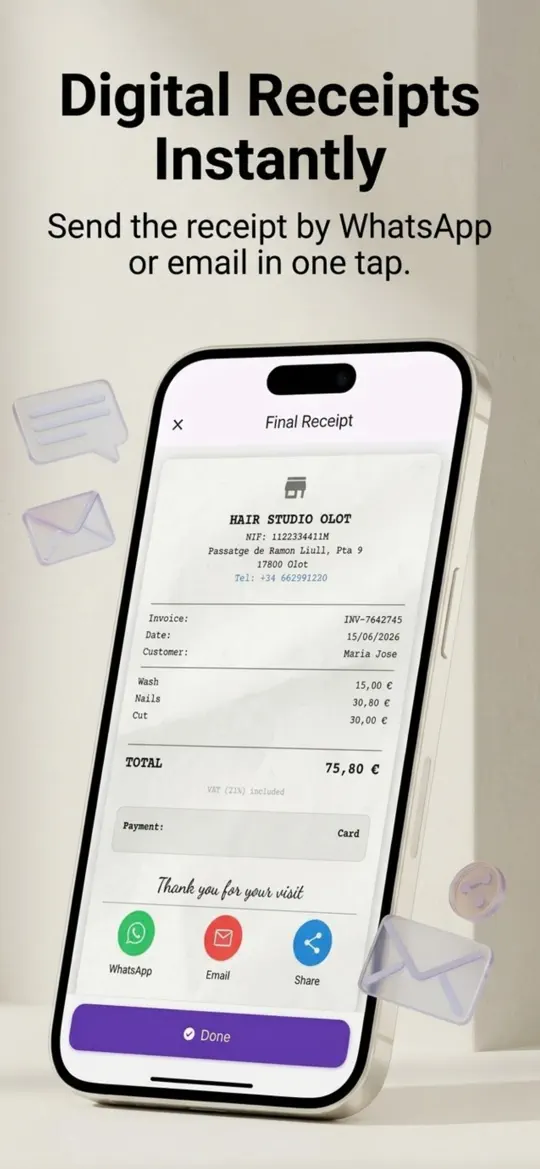
Send confirmations and reminders with your saved text in seconds, without typing it every time.


Extra tips to keep your chairs full
- Ask new clients for a mobile number they actually use for WhatsApp or texts, and check it at the first visit.
- Thank clients who give notice when they cancel. It encourages them to do it again instead of simply not coming.
- Book the next appointment before the client leaves, while the date is fresh and easy to remember.
- Keep a short note on clients who have missed more than once, and ask them to confirm or pay a deposit next time.
- Review your missed appointments each month. If most happen on the same day or with the same service, adjust reminders for that slot.
Frequently asked questions
How do you stop clients not showing up for appointments?
Combine a clear cancellation policy, a written confirmation and a reminder one or two days before the visit. Make it easy to reschedule, and ask repeat no-shows for a deposit.
What should a salon do when a client doesn't show up?
Contact the client politely the same day to rebook, note the missed visit, and apply your policy if you have one. Then offer the time to someone on your waitlist if it is still possible.
How much should a salon charge for a no-show?
Many salons charge part of the service price, often between a quarter and half, or keep a deposit for long services. Choose an amount clients see as fair and state it clearly before they book.
When is the best time to send appointment reminders?
One or two days before works well because it still gives you time to refill the slot. For long or early-morning appointments, a short extra message on the day can help.
How do you fill last-minute cancellations in a salon?
Keep a waitlist with each client's service, preferred stylist and availability, and contact the best match as soon as a slot opens. Salon management software can do this matching automatically.
Summary
You can't prevent every missed appointment, but you can reduce salon no-shows with a clear policy, written confirmations and timely reminders, and refill the rest with a waitlist. Salon Pro Business matches cancellations to waiting clients automatically and lets you message clients in one tap, so fewer chairs sit empty.